
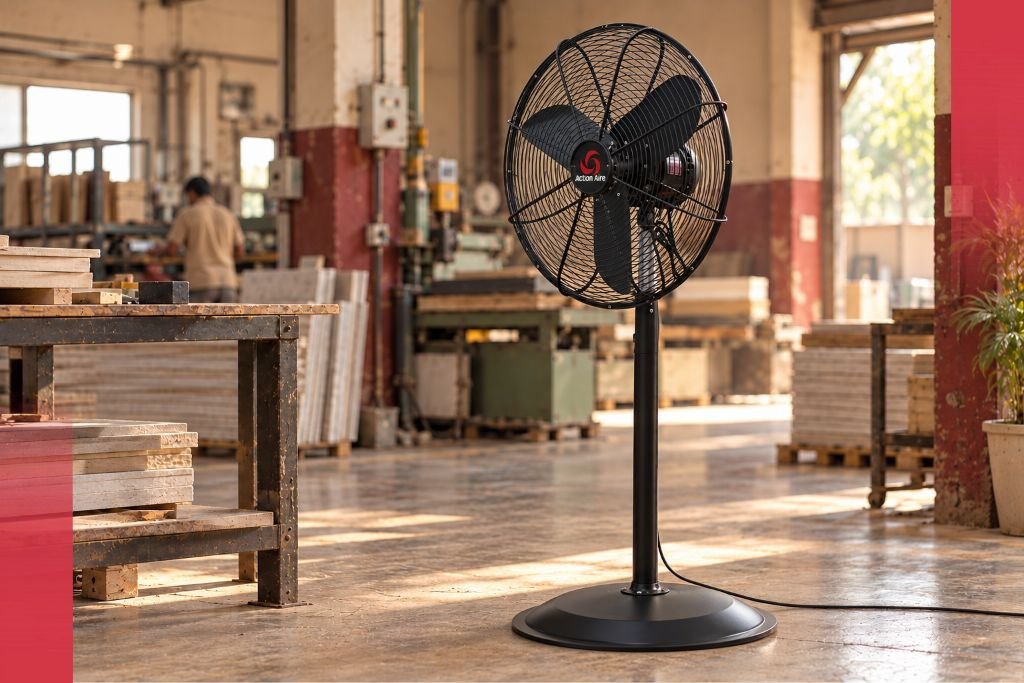
A pedestal fan that ran quietly all last summer now rattles every time it oscillates. Another one hums at low speed, and a third makes a faint grinding sound that gets louder each week. On a busy shop floor, these noises are easy to ignore until a fan stops working in the middle of a hot shift. An industrial fan making noise is usually telling you something specific. Most causes are simple to find and fix early. This guide explains what each sound usually means, how to fix it safely and when to call the manufacturer, using a heavy duty pedestal fan as the example.
Industrial Fan Making Noise? Start With Safety
Always switch off the fan and isolate the power before you inspect it. Unplug portable fans, and lock out hard-wired ones following your site procedure. Wait for the blades to stop completely. Never push fingers, tools or cloths through the guard of a running fan.
If the fan is still under warranty, check the manufacturer’s terms before opening any part of it.
Rattling or Buzzing: Loose Parts
A rattle is the most common fan noise, and the cause is usually something loose.
Guard clips and screws. The front and rear guards can loosen with vibration over time. Check every clip and screw, and tighten them evenly.
Pedestal height clamp. If the height lock is loose, the head can shake on the pole. Tighten it at the set height.
Base fixing. A base that is not fully tightened to the pole lets the whole fan wobble.
Uneven floor. A fan on an uneven surface can rock as it oscillates. Move it to a level spot.
Debris in the guard. Bits of packing material, cable ties or paper caught in the guard can buzz against the blades. Remove them.
Wobbling and Thumping: Blade Imbalance
A fan that wobbles or makes a rhythmic thump usually has a blade imbalance.
Dust and grime build-up. Dust collects unevenly on blades, especially in workshops and textile units. That uneven weight makes the fan shake. Clean each blade thoroughly and evenly.
Bent or damaged blade. A knock from a trolley or a dropped fan can bend a blade slightly. Even a small bend can cause noticeable vibration. Replace a damaged blade rather than trying to straighten it.
Loose blade hub. If the blade assembly is not tight on the motor shaft, it can shift and thump. Check that the hub fixing is secure.
Action Aire’s catalogue describes dynamically balanced blades across its heavy duty range. Balanced blades run smoothly from the factory, so new vibration usually points to dust, damage or a loose part rather than the original design.
Grinding or Squealing: Bearing Wear
A grinding, scraping or high-pitched squealing sound often comes from the motor bearings.
Action Aire’s heavy duty fans use pre-lubricated ball bearings for smooth operation. Over years of heavy use, especially in hot and dusty conditions, any bearing can wear. When that happens, you may also notice the fan taking longer to reach speed or running warmer than usual.
Bearing replacement needs proper tools and experience. If you hear grinding from the motor, take the fan out of service and contact the manufacturer or a qualified technician. Running a fan with failing bearings can damage the motor.
Clicking During Oscillation
A clicking or knocking sound that appears only when the fan oscillates usually comes from the oscillation mechanism.
Check that nothing blocks the fan head’s movement, such as a nearby wall, column or stacked material. Make sure the oscillation knob or lever sits fully engaged or fully disengaged, not halfway. If the clicking continues, the gearbox may need inspection by the manufacturer.
Humming From the Motor
A steady low hum is normal for many motors, especially at lower speeds. A hum that gets louder, changes pitch or comes with heat or a burning smell is not.
Low or unstable voltage. Voltage drops can make motors hum and run hot. Check the supply with your electrician, especially if several fans hum at the same time.
Overheating. Blocked guards and dust-covered motor vents trap heat. Clean them and make sure air can reach the motor.
Thermal cut-out. Action Aire’s catalogue lists automatic thermal overload protection, which switches the motor off before it overheats. If a fan keeps stopping and restarting, find and fix the heat source rather than ignoring it.
If you smell burning, switch off the fan immediately and call a technician.
Heavy Duty Pedestal Fan Noise: A Quick Diagnosis Guide
- Rattle or buzz: Loose guard, clamp, base or debris
- Wobble or thump: Dust on blades, bent blade or loose hub
- Grinding or squealing: Bearing wear, needs a technician
- Clicking while oscillating: Blocked movement or gearbox wear
- Loud or changing hum: Voltage issue or overheating
Noise in a Brand New Fan
Sometimes a new fan makes noise from day one. This usually points to assembly rather than a fault.
Check that the guard sits fully in place and that every clip or screw is tight. Confirm that the blade assembly sits firmly on the shaft and that the pedestal sections lock together correctly. Make sure no packing material remains inside the guard. If the noise continues after these checks, contact the supplier before using the fan further.
When to Replace a Part, and When to Replace the Fan
Many noise problems need only a simple fix, such as tightening a clip or cleaning blades. Some need a part, such as a new blade or guard. Many Action Aire air circulator models offer individual blade replacement, which keeps repair costs low.
Consider replacing the whole fan when:
- The motor has overheated repeatedly or shows burn marks
- The pedestal or head housing shows cracks or a bad bend
- Repair costs approach the price of a new unit
- The fan no longer meets your site’s safety standards
A worn-out fan that keeps breaking down costs more in downtime than it saves.
Prevent Noise With Simple Maintenance
Most fan noise starts with dust and loose fixings, so a short routine prevents most problems:
- Clean blades and guards every few weeks in dusty areas.
- Check and tighten guard clips, base fixings and the height clamp monthly.
- Keep the fan on level ground, away from walls and stacked material.
- Inspect cables and plugs during routine safety checks.
- Report any new sound early, before it turns into a breakdown.
Keep a Simple Fan Log
In a plant with dozens of fans, a short log saves time. Give each fan a number, and record the date of each cleaning, the parts replaced and any noise reported. Patterns soon appear. A fan that needs frequent tightening may sit on uneven ground, and a zone where fans clog quickly may need more frequent cleaning. The log also helps you plan spares and replacements before the summer peak.
The Action Aire Heavy Duty Pedestal Fan
The Action Aire heavy duty pedestal fan comes in 18, 20, 24 and 30 inch oscillating models. The catalogue describes a strong build that delivers optimal airflow with low sound levels, along with dynamically balanced blades, pre-lubricated ball bearings, automatic thermal overload protection, a height adjustable pedestal and fan guards that meet international safety standards. You can read more about the range in our article on Action Aire heavy duty pedestal fans.
Action Aire, the industrial fan brand of M.D. Equipments Pvt Ltd, has been a heavy duty fan manufacturer since it began in 1991 as an engineering and stamping facility in Noida. It now runs in-house production at its unit in Mundra, Gujarat, which makes it easier to support its fans with spares and technical advice.
Listen Early, Fix Early
An industrial fan making noise rarely fails without warning. Rattles point to loose parts, wobbles to imbalance, grinding to bearings and clicking to the oscillation mechanism. Catch these signs early, keep blades clean and fixings tight, and your fans will run quietly through every shift.
Need spares, service advice or replacement fans? Contact the Action Aire team through the contact page, or explore the full range of Action Aire industrial air circulators.
Frequently Asked Questions
Why is my industrial fan making a rattling noise?
A rattle usually comes from a loose guard, height clamp or base, debris caught in the guard, or the fan standing on an uneven floor.
Why does my pedestal fan wobble?
Wobbling usually means blade imbalance from uneven dust build-up, a bent blade or a loose blade hub. Clean the blades and check the hub fixing.
What does a grinding noise in a fan mean?
Grinding or squealing often points to worn motor bearings. Take the fan out of service and contact the manufacturer or a qualified technician.
Is humming normal in an industrial fan?
A steady low hum is normal for many motors. A hum that gets louder, changes pitch or comes with heat may signal a voltage problem or overheating.
Why does my fan click when it oscillates?
Clicking during oscillation often means something blocks the head’s movement or the oscillation control is half engaged. Persistent clicking may need a gearbox check.
How often should I clean an industrial fan?
Clean blades and guards every few weeks in dusty areas, and check fixings monthly. Always switch off and isolate the power first.
Does Action Aire provide spares for its heavy duty fans?
Action Aire manufactures its fans in-house in India, and many of its air circulator models offer individual blade replacement. Contact the team for spares and service advice.
Are Action Aire heavy duty pedestal fans quiet?
Action Aire’s catalogue describes its heavy duty range as a strong build that delivers optimal airflow with low sound levels, with dynamically balanced blades for smooth running.